
# cesium-模型室内漫游
这里漫游方法同样适用于室外漫游
# 漫游思路分析
- 先加载室内模型
- 初始化相机视角的位置
- 添加对应的控制点(相机漫游路径)
- 控制相机运动位置
- 设置飞行的时间到viewer的时钟里
- 相机原地定点转向
- 计算两点间的偏航角
- 设置停止漫游方法
# 完整代码
以下代码有具体的注释和介绍
<!DOCTYPE html>
<html lang="en">
<head>
    <!-- Use correct character set. -->
    <meta charset="utf-8"/>
    <!-- Tell IE to use the latest, best version. -->
    <meta http-equiv="X-UA-Compatible" content="IE=edge"/>
    <!-- Make the application on mobile take up the full browser screen and disable user scaling. -->
    <meta name="viewport"
          content="width=device-width, initial-scale=1, maximum-scale=1, minimum-scale=1, user-scalable=no"/>
    <title>模型室内漫游</title>
    <script src="https://data.sunbt.ltd/lib/Cesium-1.89/Build/Cesium/Cesium.js"></script>
    <script src="../../static/lib/vue.min.js"></script>
    <style>
        @import url(https://data.sunbt.ltd/lib/Cesium-1.89/Build/Cesium/Widgets/widgets.css);

        html,
        body, #temp {
            width: 100%;
            height: 100%;
            margin: 0;
            padding: 0;
            overflow: hidden;
        }

        #cesiumContainer {
            width: 100%;
            height: 100%;
            margin: 0;
            padding: 0;
            overflow: hidden;
        }
    </style>
</head>
<body>
<div id="temp">
    <div style="display: -webkit-flex;display: flex;width: 100%;height: 100%">
        <div style="width: 90%;height: 100%">
            <div id="cesiumContainer"></div>
        </div>
        <div style="width: 10%;height: 100%;background-color: #d3d3d3;padding: 30px">
            <button class="btn" @click="modelLocate">模型定位</button>
            <button class="btn" @click="roamIndoor">模型漫游</button>
            <button class="btn" @click="cancelFlyEvent">停止漫游</button>
        </div>
    </div>
</div>
<script>

    let EarthComp = new Vue({
        el: "#temp",
        data: {
            _earth: undefined, // 注意:Earth和Cesium的相关变量放在vue中,必须使用下划线作为前缀!
            _viewer: undefined,
            model: null,//切片模型
            marks: [],
            marksIndex: 1,
            pitchValue: -10,
            remainTime: 0,
            usedTime: 0,
        },
        mounted: function () {
            let that = this;
            this.earthInit();
        },
        methods: {
            /**
             * 地球初始化
             */
            earthInit() {
                //天地图token
                let TDT_tk = "your token";
                //Cesium token
                let cesium_tk = "your token";
                //标注
                let TDT_CIA_C = "http://{s}.tianditu.gov.cn/cia_c/wmts?service=wmts&request=GetTile&version=1.0.0" +
                    "&LAYER=cia&tileMatrixSet=c&TileMatrix={TileMatrix}&TileRow={TileRow}&TileCol={TileCol}" +
                    "&style=default&format=tiles&tk=" + TDT_tk;

                // 添加mapbox自定义地图实例
                let layer = new Cesium.MapboxStyleImageryProvider({
                    url: 'https://api.mapbox.com/styles/v1',
                    username: 'sungang',
                    styleId: 'styleId',
                    accessToken: 'accessToken',
                    scaleFactor: true
                });

                //初始页面加载
                Cesium.Ion.defaultAccessToken = cesium_tk;
                let viewer = new Cesium.Viewer('cesiumContainer', {
                    geocoder: false,   // 位置查找工具
                    baseLayerPicker: false,// 图层选择器(地形影像服务)
                    timeline: false, // 底部时间线
                    homeButton: false,// 视角返回初始位置
                    fullscreenButton: false, // 全屏
                    animation: false,   // 左下角仪表盘(动画器件)
                    sceneModePicker: false,// 选择视角的模式(球体、平铺、斜视平铺)
                    navigationHelpButton: false, //导航帮助按钮
                    imageryProvider: layer
                });

                //调用影响中文注记服务
                viewer.imageryLayers.addImageryProvider(new Cesium.WebMapTileServiceImageryProvider({
                    url: TDT_CIA_C,
                    layer: "tdtImg_c",
                    style: "default",
                    format: "tiles",
                    tileMatrixSetID: "c",
                    subdomains: ["t0", "t1", "t2", "t3", "t4", "t5", "t6", "t7"],
                    tilingScheme: new Cesium.GeographicTilingScheme(),
                    tileMatrixLabels: ["1", "2", "3", "4", "5", "6", "7", "8", "9", "10", "11", "12", "13", "14", "15", "16", "17", "18", "19"],
                    maximumLevel: 50,
                    show: false
                }))

                this._viewer = viewer;

                // 去除版权信息
                this._viewer._cesiumWidget._creditContainer.style.display = "none";
                // 初始化模型位置
                this.addModel();
            },
            /**
             * 添加模型
             */
            addModel() {
                // 3Dtiles切片地址
                let tileset = this._viewer.scene.primitives.add(new Cesium.Cesium3DTileset({
                    url: 'http://192.168.1.243:8088/data/3dtiles/tianjie/tileset.json',
                    modelMatrix: Cesium.Matrix4.fromArray(
                        [0.9972458032561666, 0.04372029028528979, 0.05991113506964879, 0,
                            -0.03623787897545647, 0.9920229449104262, -0.12073646051879428, 0,
                            -0.06471185374661931, 0.11823287609043515, 0.9908750491338749, 0,
                            -663.0794944260269, 1211.490494620055, 2974.1003134818748, 1]),
                }));
                this.model = tileset;
                this._viewer.flyTo(tileset, {
                    offset: {
                        heading: Cesium.Math.toRadians(20.0),//方向
                        pitch: Cesium.Math.toRadians(-25),//倾斜角度
                        range: 1000
                    }
                });
            },
            /**
             * 模型定位
             */
            modelLocate() {
                let that = this;
                this._viewer.flyTo(this.model, {
                    offset: {
                        heading: Cesium.Math.toRadians(120.0),//方向
                        pitch: Cesium.Math.toRadians(-10),//倾斜角度
                        range: 450
                    }
                });
            },
            /**
             * 室内漫游
             * 初始化相机位置
             */
            roamIndoor() {
                let that = this;

                /** 相机视角飞行 开始 **/
                this.marks = [
                    // height:相机高度(单位米) flytime:相机两个标注点飞行时间(单位秒)
                    {lng: 118.69184532414744, lat: 32.16119279415843, height: 5, flytime: 5},
                    {lng: 118.69192079776337, lat: 32.16112689859642, height: 5, flytime: 5},
                    {lng: 118.69223881961578, lat: 32.16098664838045, height: 5, flytime: 5}
                ];// 地标集合 根据地标顺序来进行漫游
                this.marksIndex = 1;
                this.pitchValue = -10;

                this._viewer.scene.camera.flyTo({
                    //定位坐标点,建议使用谷歌地球坐标位置无偏差
                    destination: Cesium.Cartesian3.fromDegrees(that.marks[0].lng, that.marks[0].lat, that.marks[0].height),
                    duration: 2,   //定位的时间间隔
                    orientation: {
                        heading: Cesium.Math.toRadians(120.0),//方向
                        pitch: Cesium.Math.toRadians(-10),//倾斜角度
                        roll: 0
                    }
                });

                setTimeout(function () {
                    that.flyExtent();
                }, 2000);
            },
            //控制相机运动方法
            flyExtent() {
                let that = this;
                let marks = that.marks;
                // let marksIndex = that.marksIndex;
                let pitchValue = that.pitchValue;
                let viewer = that._viewer;
                // 相机看点的角度,如果大于0那么则是从地底往上看,所以要为负值
                let pitch = Cesium.Math.toRadians(pitchValue);
                // 时间间隔2秒钟
                that.setExtentTime(that.marks[that.marksIndex].flytime);
                let Exection = function TimeExecution() {
                    let preIndex = that.marksIndex - 1;
                    //当到达最后一个点时,继续漫游
                    if (that.marksIndex === 0) {
                        preIndex = marks.length - 1;
                    }
                    //计算偏航角
                    let heading = that.bearing(marks[preIndex].lat, marks[preIndex].lng, marks[that.marksIndex].lat, marks[that.marksIndex].lng);
                    heading = Cesium.Math.toRadians(heading);
                    // 当前已经过去的时间,单位s
                    let delTime = Cesium.JulianDate.secondsDifference(viewer.clock.currentTime, viewer.clock.startTime);
                    let originLat = that.marksIndex === 0 ? marks[marks.length - 1].lat : marks[that.marksIndex - 1].lat;
                    let originLng = that.marksIndex === 0 ? marks[marks.length - 1].lng : marks[that.marksIndex - 1].lng;
                    //计算相机下一次的位置
                    let endPosition = Cesium.Cartesian3.fromDegrees(
                        (originLng + (marks[that.marksIndex].lng - originLng) / marks[that.marksIndex].flytime * delTime),
                        (originLat + (marks[that.marksIndex].lat - originLat) / marks[that.marksIndex].flytime * delTime),
                        marks[that.marksIndex].height
                    );
                    viewer.scene.camera.setView({
                        destination: endPosition,
                        orientation: {
                            heading: heading,
                            pitch: pitch,
                        }
                    });
                    //当到达下一个点的时候,重新设置相机偏航角
                    if (Cesium.JulianDate.compare(viewer.clock.currentTime, viewer.clock.stopTime) >= 0) {
                        viewer.clock.onTick.removeEventListener(Exection);
                        that.changeCameraHeading();
                    }
                };
                //让cesium的时钟方法来监听该方法
                viewer.clock.onTick.addEventListener(Exection);
            },
            // 设置飞行的时间到viewer的时钟里
            setExtentTime(time) {
                let that = this;
                let viewer = that._viewer;
                let startTime = Cesium.JulianDate.fromDate(new Date());
                let stopTime = Cesium.JulianDate.addSeconds(startTime, time, new Cesium.JulianDate());
                viewer.clock.startTime = startTime.clone();  // 开始时间
                viewer.clock.stopTime = stopTime.clone();     // 结速时间
                viewer.clock.currentTime = startTime.clone(); // 当前时间
                viewer.clock.clockRange = Cesium.ClockRange.CLAMPED; // 行为方式
                viewer.clock.clockStep = Cesium.ClockStep.SYSTEM_CLOCK; // 时钟设置为当前系统时间; 忽略所有其他设置。
            },
            // 相机原地定点转向
            changeCameraHeading() {
                let that = this;
                let marks = that.marks;
                let marksIndex = that.marksIndex;
                let pitchValue = that.pitchValue;
                let viewer = that._viewer;
                let nextIndex = that.marksIndex + 1;
                if (that.marksIndex === marks.length - 1) {
                    nextIndex = 0;
                }
                // 计算两点之间的方向
                let heading = that.bearing(marks[marksIndex].lat, marks[marksIndex].lng, marks[nextIndex].lat, marks[nextIndex].lng);
                // 相机看点的角度,如果大于0那么则是从地底往上看,所以要为负值
                let pitch = Cesium.Math.toRadians(pitchValue);
                // 给定飞行一周所需时间,比如10s, 那么每秒转动度数
                let angle = (heading - Cesium.Math.toDegrees(viewer.camera.heading)) / 2;
                if (angle < -90)
                    angle += 180;
                else if (angle > 90)
                    angle -= 180;
                // 时间间隔2秒钟
                that.setExtentTime(2);
                // 相机的当前heading
                let initialHeading = viewer.camera.heading;
                let exection = function TimeExecution() {
                    // 当前已经过去的时间,单位s
                    let delTime = Cesium.JulianDate.secondsDifference(viewer.clock.currentTime, viewer.clock.startTime);
                    let heading = Cesium.Math.toRadians(delTime * angle) + initialHeading;
                    viewer.scene.camera.setView({
                        orientation: {
                            heading: heading,
                            pitch: pitch,
                        }
                    });
                    if (Cesium.JulianDate.compare(viewer.clock.currentTime, viewer.clock.stopTime) >= 0) {
                        viewer.clock.onTick.removeEventListener(exection);
                        that.marksIndex = ++that.marksIndex >= marks.length ? 0 : that.marksIndex;
                        that.flyExtent();
                    }
                };
                //让cesium的时钟方法来监听该方法
                viewer.clock.onTick.addEventListener(exection);
            },
            //计算两点间的偏航角
            bearing(startLat, startLng, destLat, destLng) {
                startLat = this.toRadians(startLat);
                startLng = this.toRadians(startLng);
                destLat = this.toRadians(destLat);
                destLng = this.toRadians(destLng);

                let y = Math.sin(destLng - startLng) * Math.cos(destLat);
                let x = Math.cos(startLat) * Math.sin(destLat) - Math.sin(startLat) * Math.cos(destLat) * Math.cos(destLng - startLng);
                let brng = Math.atan2(y, x);
                let brngDgr = this.toDegrees(brng);
                return (brngDgr + 360) % 360;
            },
            /** 飞行时 camera的方向调整(heading) 开始 **/
            // Converts from degrees to radians.
            toRadians(degrees) {
                return degrees * Math.PI / 180;
            },
            // Converts from radians to degrees.
            toDegrees(radians) {
                return radians * 180 / Math.PI;
            },
            /** 停止漫游方法 **/
            cancelFlyEvent(eventType) {
                let that = this;
                //获取被clock监听的全部事件数量
                let len = that._viewer.clock.onTick.numberOfListeners;
                for (let i = 0; i < len; i++) {
                    //将被监听的方法移除来停止方法
                    that._viewer.clock.onTick.removeEventListener(that._viewer.clock.onTick._listeners[i]);
                }
            },
        },
    })
</script>

</body>
</html>
1
2
3
4
5
6
7
8
9
10
11
12
13
14
15
16
17
18
19
20
21
22
23
24
25
26
27
28
29
30
31
32
33
34
35
36
37
38
39
40
41
42
43
44
45
46
47
48
49
50
51
52
53
54
55
56
57
58
59
60
61
62
63
64
65
66
67
68
69
70
71
72
73
74
75
76
77
78
79
80
81
82
83
84
85
86
87
88
89
90
91
92
93
94
95
96
97
98
99
100
101
102
103
104
105
106
107
108
109
110
111
112
113
114
115
116
117
118
119
120
121
122
123
124
125
126
127
128
129
130
131
132
133
134
135
136
137
138
139
140
141
142
143
144
145
146
147
148
149
150
151
152
153
154
155
156
157
158
159
160
161
162
163
164
165
166
167
168
169
170
171
172
173
174
175
176
177
178
179
180
181
182
183
184
185
186
187
188
189
190
191
192
193
194
195
196
197
198
199
200
201
202
203
204
205
206
207
208
209
210
211
212
213
214
215
216
217
218
219
220
221
222
223
224
225
226
227
228
229
230
231
232
233
234
235
236
237
238
239
240
241
242
243
244
245
246
247
248
249
250
251
252
253
254
255
256
257
258
259
260
261
262
263
264
265
266
267
268
269
270
271
272
273
274
275
276
277
278
279
280
281
282
283
284
285
286
287
288
289
290
291
292
293
294
295
296
297
298
299
300
301
302
303
304
305
306
307
308
309
310
311
312
313
314
315
316
317
318
319
320
321
322
323
324
325
326
327
328
329
330
2
3
4
5
6
7
8
9
10
11
12
13
14
15
16
17
18
19
20
21
22
23
24
25
26
27
28
29
30
31
32
33
34
35
36
37
38
39
40
41
42
43
44
45
46
47
48
49
50
51
52
53
54
55
56
57
58
59
60
61
62
63
64
65
66
67
68
69
70
71
72
73
74
75
76
77
78
79
80
81
82
83
84
85
86
87
88
89
90
91
92
93
94
95
96
97
98
99
100
101
102
103
104
105
106
107
108
109
110
111
112
113
114
115
116
117
118
119
120
121
122
123
124
125
126
127
128
129
130
131
132
133
134
135
136
137
138
139
140
141
142
143
144
145
146
147
148
149
150
151
152
153
154
155
156
157
158
159
160
161
162
163
164
165
166
167
168
169
170
171
172
173
174
175
176
177
178
179
180
181
182
183
184
185
186
187
188
189
190
191
192
193
194
195
196
197
198
199
200
201
202
203
204
205
206
207
208
209
210
211
212
213
214
215
216
217
218
219
220
221
222
223
224
225
226
227
228
229
230
231
232
233
234
235
236
237
238
239
240
241
242
243
244
245
246
247
248
249
250
251
252
253
254
255
256
257
258
259
260
261
262
263
264
265
266
267
268
269
270
271
272
273
274
275
276
277
278
279
280
281
282
283
284
285
286
287
288
289
290
291
292
293
294
295
296
297
298
299
300
301
302
303
304
305
306
307
308
309
310
311
312
313
314
315
316
317
318
319
320
321
322
323
324
325
326
327
328
329
330
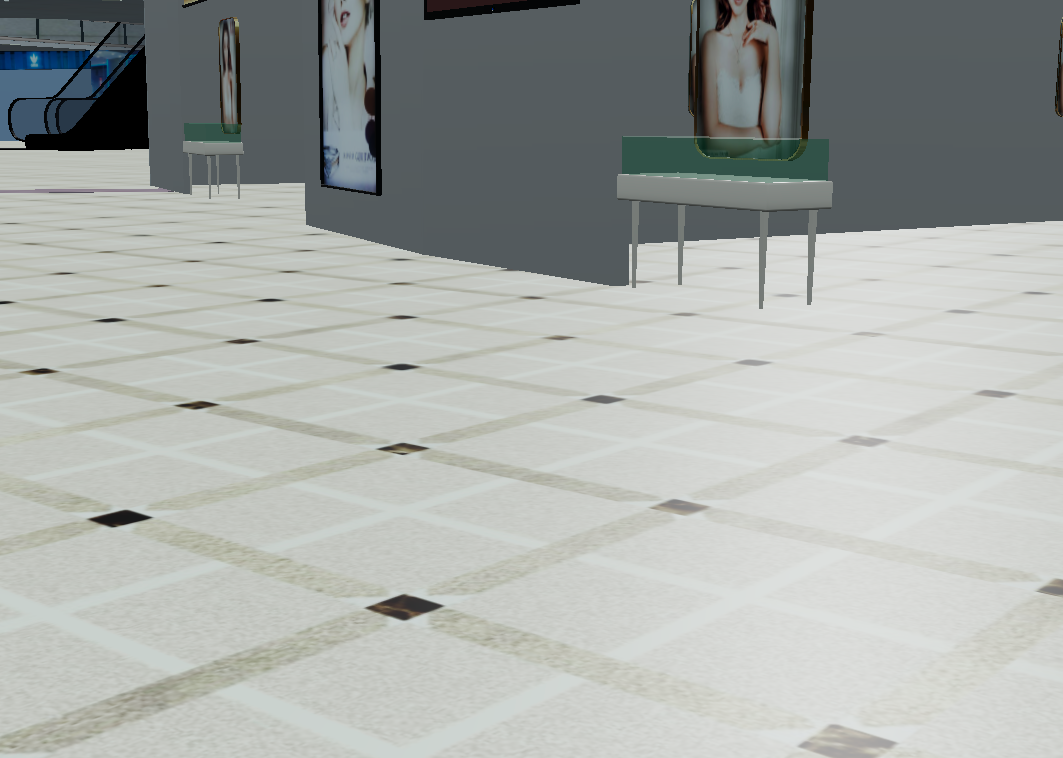
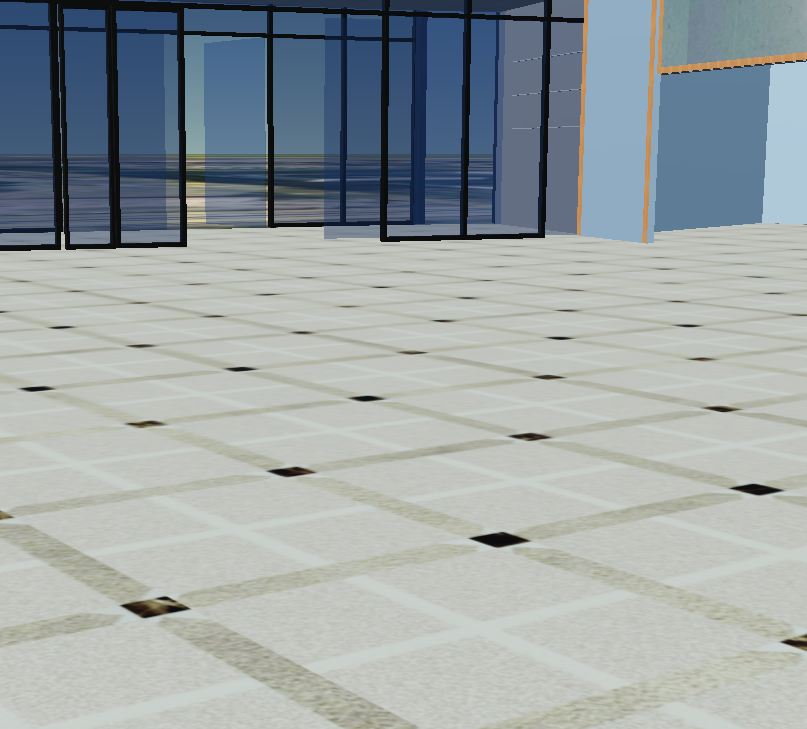
# 示例截图
← 定位到3DTiles对象 添加地下模型 →