# cesium-helloWord
# 申请token
使用cesium默认地图和服务时,需要去申请一个token,申请流程如下:
cesium ion官网地址 (opens new window)
- 打开官网
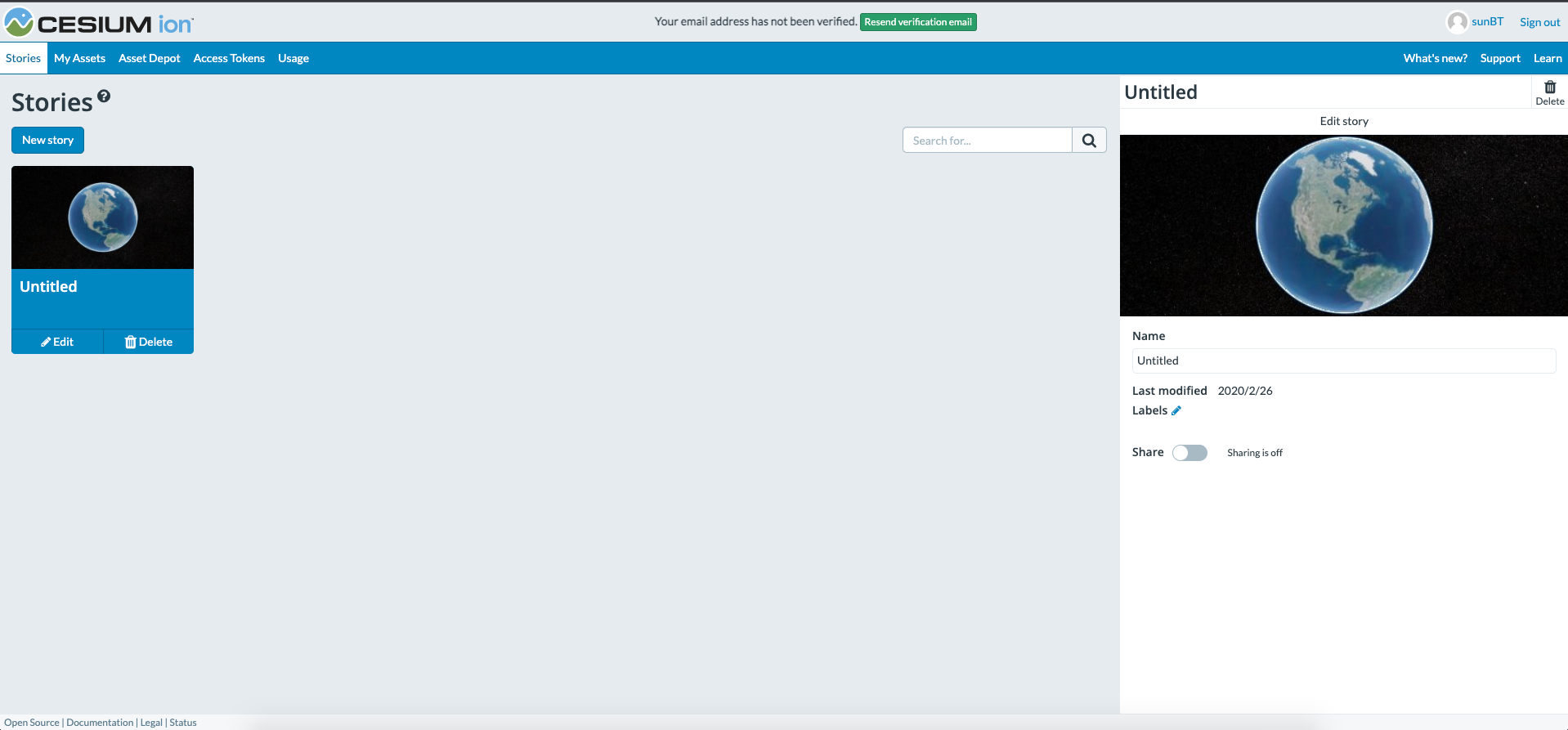
- 进入access tokens页面
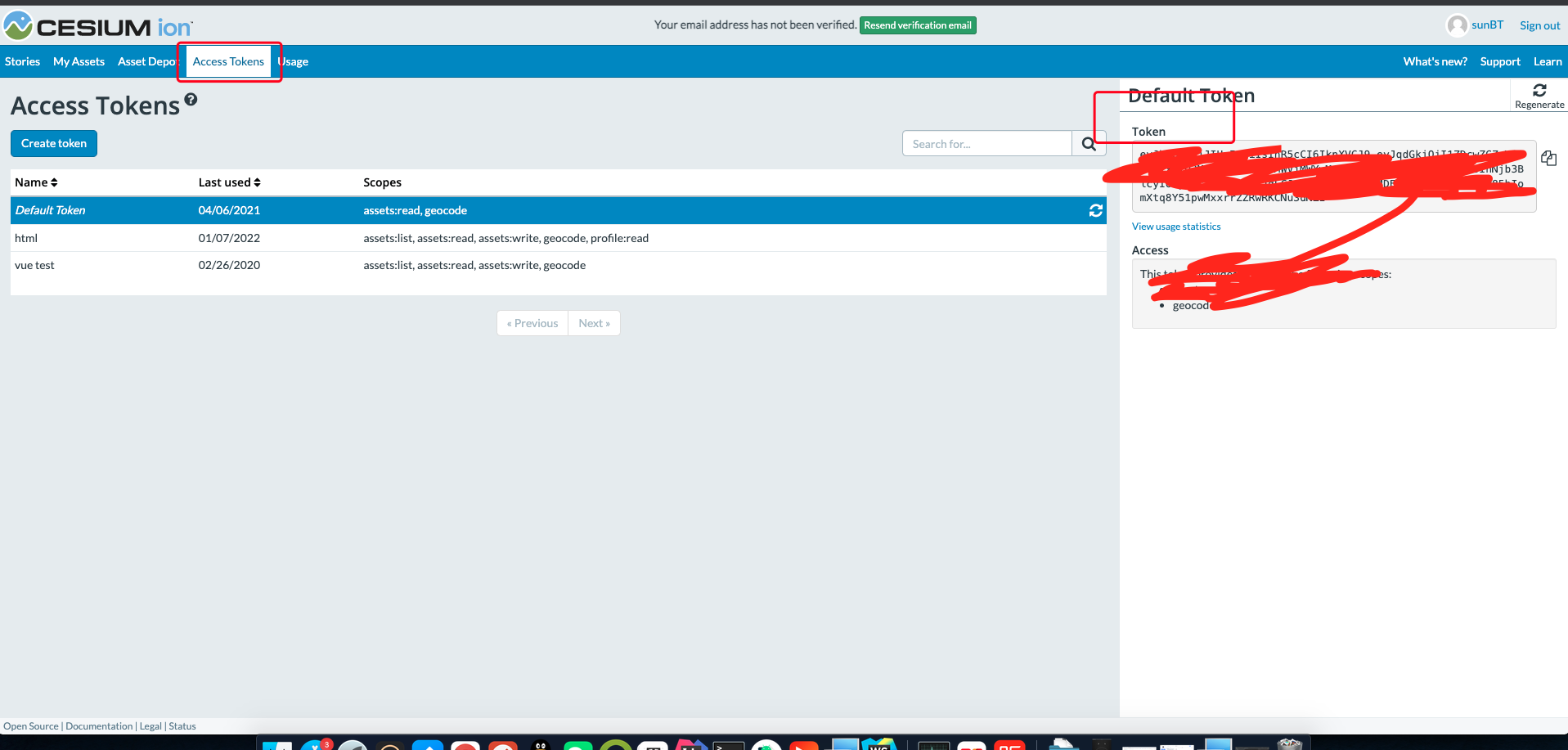
可创建token,右侧就是我们需要的token
# 代码实现
具体代码如下所示:
<!DOCTYPE html>
<html lang="en">
<head>
    <!-- Use correct character set. -->
    <meta charset="utf-8" />
    <!-- Tell IE to use the latest, best version. -->
    <meta http-equiv="X-UA-Compatible" content="IE=edge" />
    <!-- Make the application on mobile take up the full browser screen and disable user scaling. -->
    <meta
            name="viewport"
            content="width=device-width, initial-scale=1, maximum-scale=1, minimum-scale=1, user-scalable=no"
    />
    <title>cesium初始化</title>
    <script src="../lib/Cesium-1.78/Build/Cesium/Cesium.js"></script>
    <style>
        @import url(../lib/Cesium-1.78/Build/Cesium/Widgets/widgets.css);

        html,
        body,
        #cesiumContainer {
            width: 100%;
            height: 100%;
            margin: 0;
            padding: 0;
            overflow: hidden;
        }
    </style>
</head>
<body>
<div id="cesiumContainer"></div>
<script>
    Cesium.Ion.defaultAccessToken = "token";
    let viewer = new Cesium.Viewer("cesiumContainer");
</script>
</body>
</html>
1
2
3
4
5
6
7
8
9
10
11
12
13
14
15
16
17
18
19
20
21
22
23
24
25
26
27
28
29
30
31
32
33
34
35
36
2
3
4
5
6
7
8
9
10
11
12
13
14
15
16
17
18
19
20
21
22
23
24
25
26
27
28
29
30
31
32
33
34
35
36
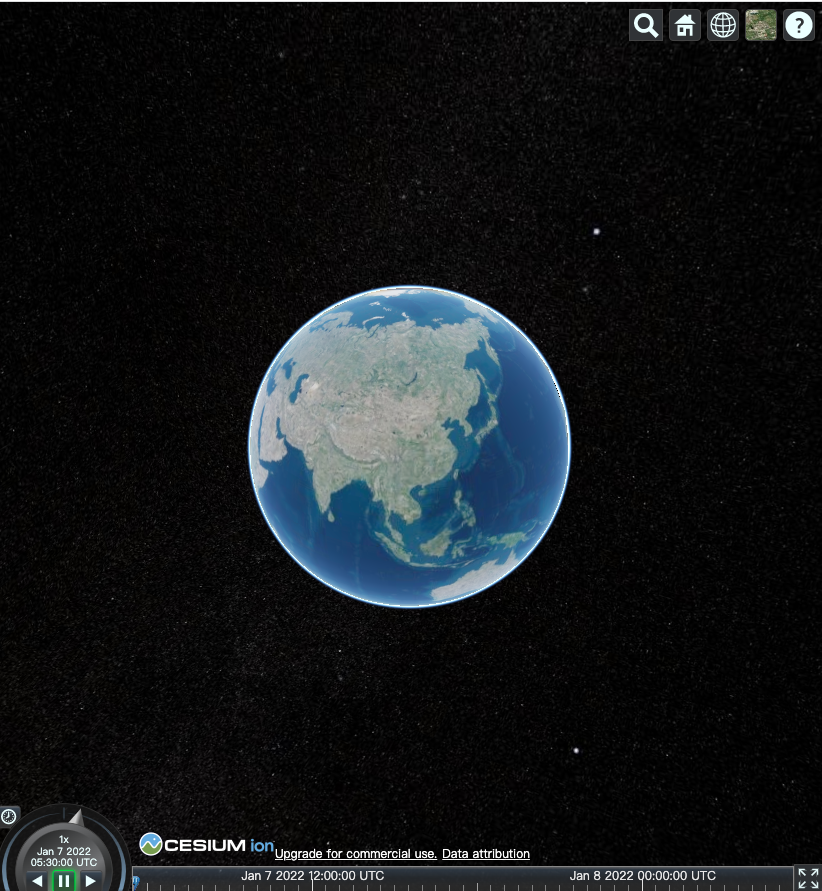
成功后如下所示: