
# Ubuntu设置静态IP
# 查看ubuntu系统版本
uname -a
1

# 创建root用户
sudo passwd root
1
切换到root用户,使用root
su root
1
# 查看当前网卡IP地址
ifconfig
1
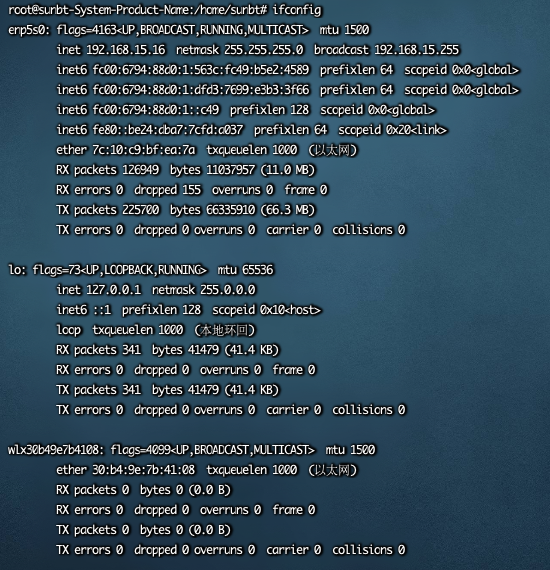
# 查看网关
route -n
1

# 编辑网卡配置文件
vim /etc/netplan/01-network-manager-all.yaml
1
# Let NetworkManager manage all devices on this system
network:
  ethernets:
    enp5s0:   # 配置的网卡的名称
      addresses: [192.168.15.16/24]   # 配置的静态ip地址和掩码
      dhcp4: false   # 关闭dhcp4
      optional: true
      gateway4: 192.168.15.1 # 网关地址
      nameservers:
        addresses: [192.168.15.1,114.114.114.114]  # DNS服务器地址,多个DNS服务器地址需要用英文逗号分>隔开,可不配置
  version: 2
  renderer: NetworkManager
1
2
3
4
5
6
7
8
9
10
11
12
2
3
4
5
6
7
8
9
10
11
12
使配置生效
sudo netplan apply
1
# 配置主机名
# 修改主机名
hostnamectl set-hostname master
# 配置 hosts
cat >> /etc/hosts << EOF
192.168.15.16 master
EOF
1
2
3
4
5
6
2
3
4
5
6
# 修改 cloud.cfg
主要作用是防止重启后主机名还原
vi /etc/cloud/cloud.cfg
# 该配置默认为 false,修改为 true 即可
preserve_hostname: true
1
2
3
2
3