# 全网最新QGIS3.16插件开发
以图层叠加分析计算相交面积
# 环境准备
之前分享过基于QGIS3.4的开发,这里将环境升级为QGIS3.16.14 LTR(长期维护版)
更详细的配置可以参考我上一篇文章
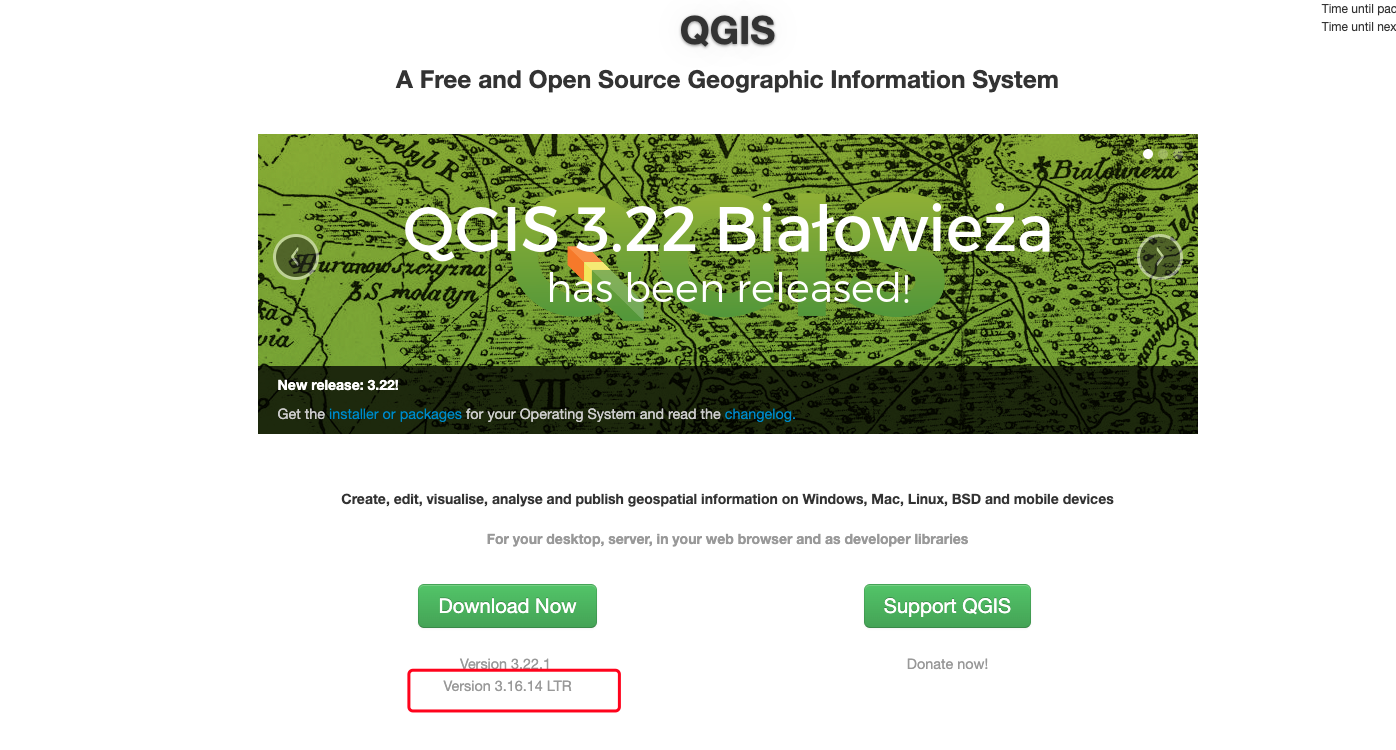
升级很简单,直接卸载之前的3.4版本,然后将3.16.14版本安装即可
操作基本一致没什么改变,QC可以继续使用,不用换
插件的位置还是在原来的位置不用更换(每个人的用户名可能不一样,我这里是Administartor)
C:\Users\Administrator\AppData\Roaming\QGIS\QGIS3\profiles\default\python\plugins
# 修改pycharm的python环境配置
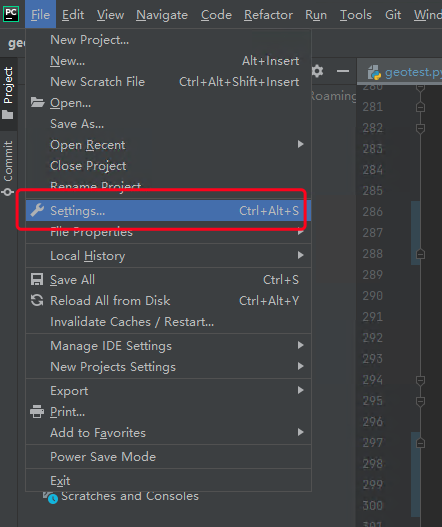
- 打开设置
- 打开python环境设置
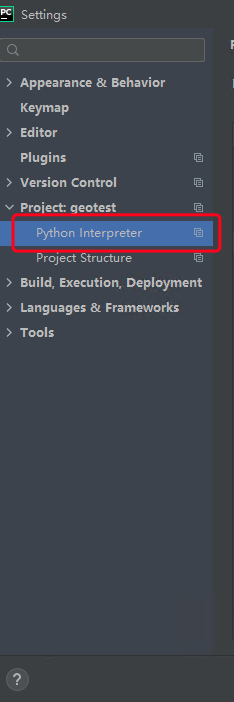
- 选择QGIS自带的开发环境

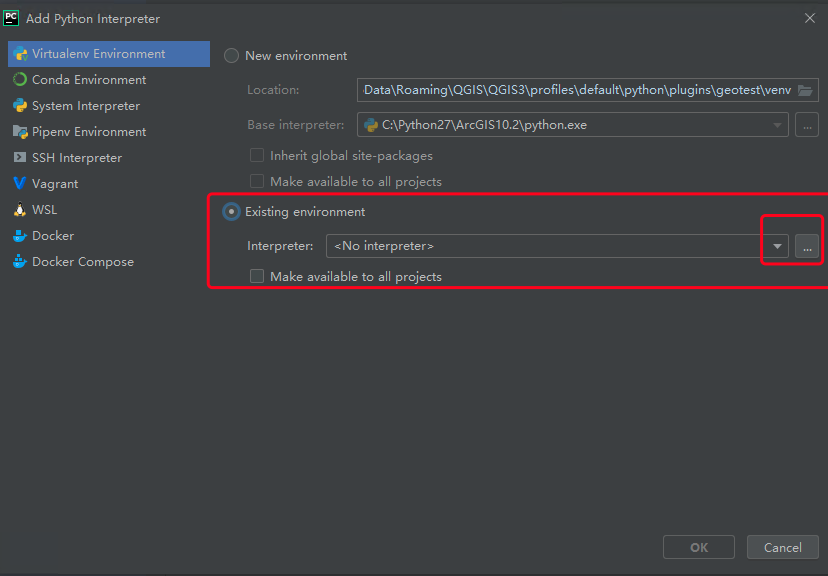
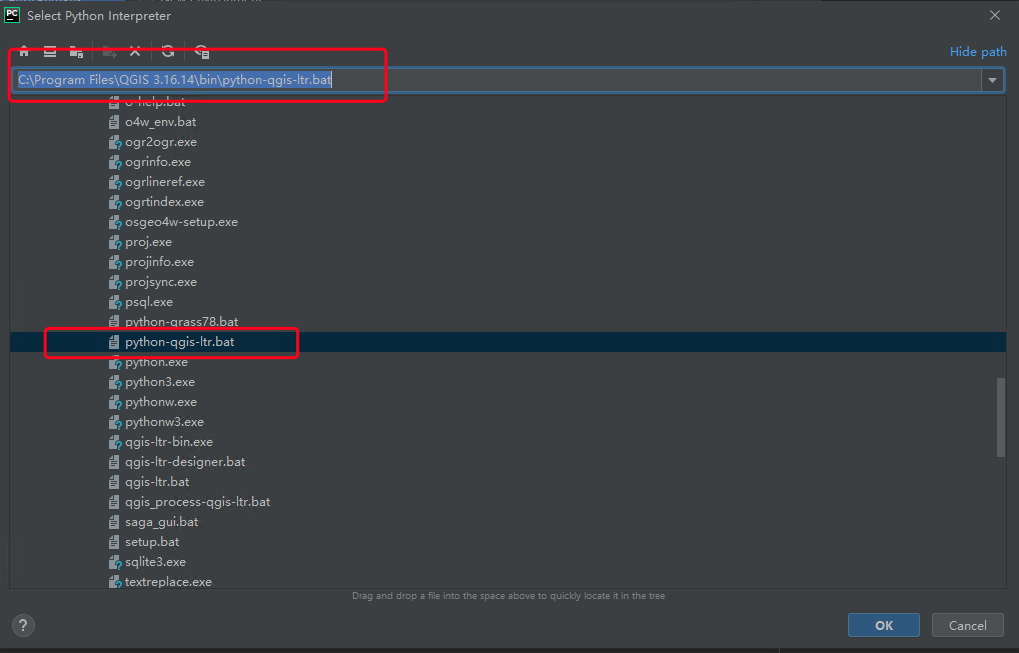
选择python-qgis-ltr.bat
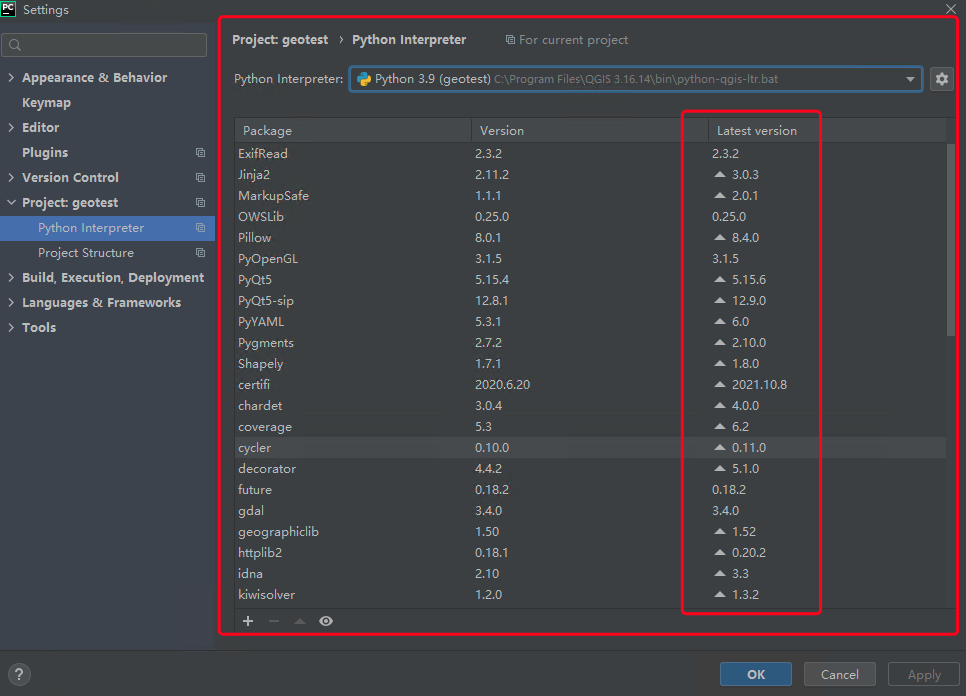
可以看到QGIS3.16的python版本为3.9,并且已经包含所需要的环境,最新的版本在后面也有提示
# 插件开发
# 目标
我们在开发插件的时候,必须要明确自己开发插件的用途,如果我们需要的功能已经有插件了就不要再开发了,避免重复造轮子
图层叠加分析计算相交面积
我的业务逻辑
- 使用条件筛选出图层中需要的数据
- 与业务图层相交
- 将相交的结果以业务图层的id分组融合
- 使用字段计算器计算融合后数据的面积生成新的字段存储结果
- 将融合后的数据关联到原来的业务图层中并保留新的结果字段
# 开发
项目还是使用之前的geotest进行开发
# QC设计界面
新的界面设计和组件命名如下:
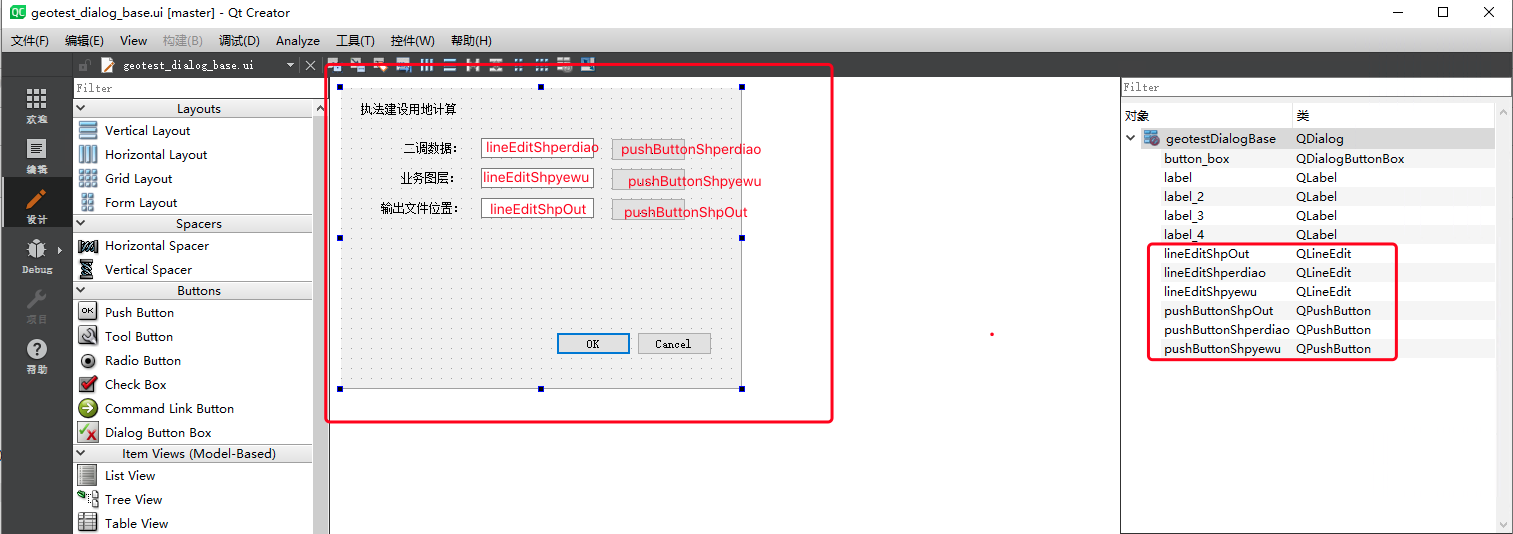
# 核型代码
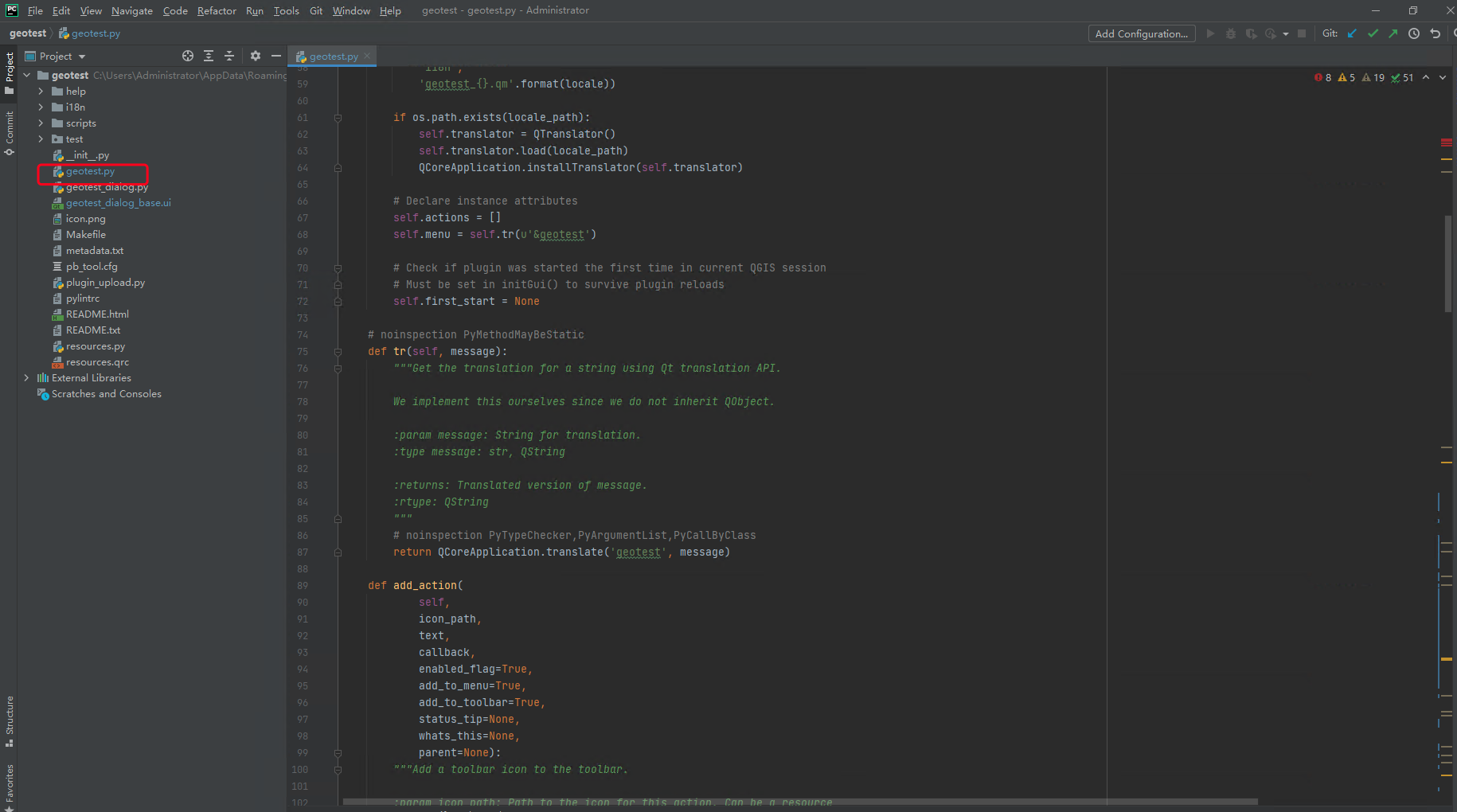
这里修改geotest.py文件,核心的计算代码都在这
修改内容如下:
# -*- coding: utf-8 -*-
"""
/***************************************************************************
 geotest
                                 A QGIS plugin
 测试工具
 Generated by Plugin Builder: http://g-sherman.github.io/Qgis-Plugin-Builder/
                              -------------------
        begin                : 2021-12-13
        git sha              : $Format:%H$
        copyright            : (C) 2021 by sunbt
        email                : 1327398885@qq.com
 ***************************************************************************/

/***************************************************************************
 *                                                                         *
 *   This program is free software; you can redistribute it and/or modify  *
 *   it under the terms of the GNU General Public License as published by  *
 *   the Free Software Foundation; either version 2 of the License, or     *
 *   (at your option) any later version.                                   *
 *                                                                         *
 ***************************************************************************/
"""
import processing
from qgis.PyQt.QtCore import QSettings, QTranslator, QCoreApplication
from qgis.PyQt.QtGui import QIcon
from qgis.PyQt.QtWidgets import QAction, QFileDialog, QProgressBar
from qgis.core import *

# Initialize Qt resources from file resources.py


from .resources import *
# Import the code for the dialog
from .geotest_dialog import geotestDialog
import os.path


class geotest:
    """QGIS Plugin Implementation."""

    def __init__(self, iface):
        """Constructor.

        :param iface: An interface instance that will be passed to this class
            which provides the hook by which you can manipulate the QGIS
            application at run time.
        :type iface: QgsInterface
        """
        # Save reference to the QGIS interface
        self.iface = iface
        # initialize plugin directory
        self.plugin_dir = os.path.dirname(__file__)
        # initialize locale
        locale = QSettings().value('locale/userLocale')[0:2]
        locale_path = os.path.join(
            self.plugin_dir,
            'i18n',
            'geotest_{}.qm'.format(locale))

        if os.path.exists(locale_path):
            self.translator = QTranslator()
            self.translator.load(locale_path)
            QCoreApplication.installTranslator(self.translator)

        # Declare instance attributes
        self.actions = []
        self.menu = self.tr(u'&geotest')

        # Check if plugin was started the first time in current QGIS session
        # Must be set in initGui() to survive plugin reloads
        self.first_start = None

    # noinspection PyMethodMayBeStatic
    def tr(self, message):
        """Get the translation for a string using Qt translation API.

        We implement this ourselves since we do not inherit QObject.

        :param message: String for translation.
        :type message: str, QString

        :returns: Translated version of message.
        :rtype: QString
        """
        # noinspection PyTypeChecker,PyArgumentList,PyCallByClass
        return QCoreApplication.translate('geotest', message)

    def add_action(
            self,
            icon_path,
            text,
            callback,
            enabled_flag=True,
            add_to_menu=True,
            add_to_toolbar=True,
            status_tip=None,
            whats_this=None,
            parent=None):
        """Add a toolbar icon to the toolbar.

        :param icon_path: Path to the icon for this action. Can be a resource
            path (e.g. ':/plugins/foo/bar.png') or a normal file system path.
        :type icon_path: str

        :param text: Text that should be shown in menu items for this action.
        :type text: str

        :param callback: Function to be called when the action is triggered.
        :type callback: function

        :param enabled_flag: A flag indicating if the action should be enabled
            by default. Defaults to True.
        :type enabled_flag: bool

        :param add_to_menu: Flag indicating whether the action should also
            be added to the menu. Defaults to True.
        :type add_to_menu: bool

        :param add_to_toolbar: Flag indicating whether the action should also
            be added to the toolbar. Defaults to True.
        :type add_to_toolbar: bool

        :param status_tip: Optional text to show in a popup when mouse pointer
            hovers over the action.
        :type status_tip: str

        :param parent: Parent widget for the new action. Defaults None.
        :type parent: QWidget

        :param whats_this: Optional text to show in the status bar when the
            mouse pointer hovers over the action.

        :returns: The action that was created. Note that the action is also
            added to self.actions list.
        :rtype: QAction
        """

        icon = QIcon(icon_path)
        action = QAction(icon, text, parent)
        action.triggered.connect(callback)
        action.setEnabled(enabled_flag)

        if status_tip is not None:
            action.setStatusTip(status_tip)

        if whats_this is not None:
            action.setWhatsThis(whats_this)

        if add_to_toolbar:
            # Adds plugin icon to Plugins toolbar
            self.iface.addToolBarIcon(action)

        if add_to_menu:
            self.iface.addPluginToMenu(
                self.menu,
                action)

        self.actions.append(action)

        return action

    def initGui(self):
        """Create the menu entries and toolbar icons inside the QGIS GUI."""

        icon_path = ':/plugins/geotest/icon.png'
        self.add_action(
            icon_path,
            text=self.tr(u'geotest'),
            callback=self.run,
            parent=self.iface.mainWindow())

        # will be set False in run()
        self.first_start = True

    def unload(self):
        """Removes the plugin menu item and icon from QGIS GUI."""
        for action in self.actions:
            self.iface.removePluginMenu(
                self.tr(u'&geotest'),
                action)
            self.iface.removeToolBarIcon(action)

    # 加载二调文件的路径
    def select_shperdiao_file(self):
        filename, _filter = QFileDialog.getOpenFileName(
            self.dlg, "Select input file", "", "*.shp"
        )
        self.dlg.lineEditShperdiao.setText(filename)

    # 加载业务文件的路径
    def select_shpyewu_file(self):
        filename, _filter = QFileDialog.getOpenFileName(
            self.dlg, "Select input file", "", "*.shp"
        )
        self.dlg.lineEditShpyewu.setText(filename)

    # 导出shp文件的路径
    def select_output_file(self):
        filename, _filter = QFileDialog.getSaveFileName(
            self.dlg, "Select output file", "", "*.shp"
        )
        self.dlg.lineEditShpOut.setText(filename)

    # 执行计算
    def filter(self, input_path, yewu_path, output_path, layerName):
        outputs = {}
        tempPath = "D:\data\gis\output"

        # 按表达式提取
        alg_params = {
            'EXPRESSION': '\"DLBM\"=201 or \"DLBM\"=202 or \"DLBM\"=203 or \"DLBM\"=204 or \"DLBM\"=205 or \"DLBM\"=101 or \"DLBM\"=102 or \"DLBM\"=105 or \"DLBM\"=106 or \"DLBM\"=113 or \"DLBM\"=118',
            'INPUT': input_path,
            'OUTPUT': QgsProcessing.TEMPORARY_OUTPUT
        }
        outputs[''] = processing.run('native:extractbyexpression', alg_params)

        # 相交
        alg_params = {
            'INPUT': outputs['']['OUTPUT'],
            'INPUT_FIELDS': [''],
            'OVERLAY': yewu_path,
            'OVERLAY_FIELDS': [''],
            'OVERLAY_FIELDS_PREFIX': '',
            'OUTPUT': QgsProcessing.TEMPORARY_OUTPUT
        }
        outputs[''] = processing.run('native:intersection', alg_params)

        # 融合
        alg_params = {
            'FIELD': ['JCBH'],
            'INPUT': outputs['']['OUTPUT'],
            'OUTPUT': QgsProcessing.TEMPORARY_OUTPUT
        }
        outputs[''] = processing.run('native:dissolve', alg_params)

        # 字段计算器
        alg_params = {
            'FIELD_LENGTH': 10,
            'FIELD_NAME': '建设用地1',
            'FIELD_PRECISION': 2,
            'FIELD_TYPE': 0,
            'FORMULA': ' round(($area * 0.0015),2)',
            'INPUT': outputs['']['OUTPUT'],
            'OUTPUT': 'TEMPORARY_OUTPUT',
            'OUTPUT': QgsProcessing.TEMPORARY_OUTPUT
        }
        outputs[''] = processing.run('native:fieldcalculator', alg_params)

        # 按字段值连接属性
        alg_params = {
            'DISCARD_NONMATCHING': False,
            'FIELD': 'JCBH',
            'FIELDS_TO_COPY': ['建设用地1'],
            'FIELD_2': 'JCBH',
            'INPUT': yewu_path,
            'INPUT_2': outputs['']['OUTPUT'],
            'METHOD': 1,
            'PREFIX': '',
            'OUTPUT': output_path
        }
        outputs[''] = processing.run('native:joinattributestable',alg_params)

    def run(self):
        """Run method that performs all the real work"""

        # Create the dialog with elements (after translation) and keep reference
        # Only create GUI ONCE in callback, so that it will only load when the plugin is started
        if self.first_start == True:
            self.first_start = False
            self.dlg = geotestDialog()
            # 点击按钮,确定路径
            self.dlg.pushButtonShperdiao.clicked.connect(self.select_shperdiao_file)
            self.dlg.pushButtonShpyewu.clicked.connect(self.select_shpyewu_file)
            self.dlg.pushButtonShpOut.clicked.connect(self.select_output_file)
        # show the dialog
        self.dlg.show()
        # Run the dialog event loop
        result = self.dlg.exec_()
        # See if OK was pressed
        if result:
            # Do something useful here - delete the line containing pass and
            # substitute with your code.
            # 获取二调文件路径
            shperdiaoPath = self.dlg.lineEditShperdiao.text()
            # 业务图斑文件位置
            shpyewu = self.dlg.lineEditShpyewu.text()
            # 获取导出结果文件路径
            outPath = self.dlg.lineEditShpOut.text()

            # 图层名称
            layerName = outPath.split("/")[len(outPath.split("/")) - 1].replace(".shp", "")
            # 执行方法
            self.filter(shperdiaoPath, shpyewu, outPath, layerName)
            # 将结果添加到窗口中
            vlayer = QgsVectorLayer(outPath, layerName, "ogr")
            if vlayer.isValid():
                QgsProject.instance().addMapLayer(vlayer)
            else:
                print("图层加载失败!")

            pass
            # 在QGIS界面上打印结果
            self.iface.messageBar().pushMessage("成功", "加载图层:" + layerName, level=Qgis.Success)
1
2
3
4
5
6
7
8
9
10
11
12
13
14
15
16
17
18
19
20
21
22
23
24
25
26
27
28
29
30
31
32
33
34
35
36
37
38
39
40
41
42
43
44
45
46
47
48
49
50
51
52
53
54
55
56
57
58
59
60
61
62
63
64
65
66
67
68
69
70
71
72
73
74
75
76
77
78
79
80
81
82
83
84
85
86
87
88
89
90
91
92
93
94
95
96
97
98
99
100
101
102
103
104
105
106
107
108
109
110
111
112
113
114
115
116
117
118
119
120
121
122
123
124
125
126
127
128
129
130
131
132
133
134
135
136
137
138
139
140
141
142
143
144
145
146
147
148
149
150
151
152
153
154
155
156
157
158
159
160
161
162
163
164
165
166
167
168
169
170
171
172
173
174
175
176
177
178
179
180
181
182
183
184
185
186
187
188
189
190
191
192
193
194
195
196
197
198
199
200
201
202
203
204
205
206
207
208
209
210
211
212
213
214
215
216
217
218
219
220
221
222
223
224
225
226
227
228
229
230
231
232
233
234
235
236
237
238
239
240
241
242
243
244
245
246
247
248
249
250
251
252
253
254
255
256
257
258
259
260
261
262
263
264
265
266
267
268
269
270
271
272
273
274
275
276
277
278
279
280
281
282
283
284
285
286
287
288
289
290
291
292
293
294
295
296
297
298
299
300
301
302
303
304
305
2
3
4
5
6
7
8
9
10
11
12
13
14
15
16
17
18
19
20
21
22
23
24
25
26
27
28
29
30
31
32
33
34
35
36
37
38
39
40
41
42
43
44
45
46
47
48
49
50
51
52
53
54
55
56
57
58
59
60
61
62
63
64
65
66
67
68
69
70
71
72
73
74
75
76
77
78
79
80
81
82
83
84
85
86
87
88
89
90
91
92
93
94
95
96
97
98
99
100
101
102
103
104
105
106
107
108
109
110
111
112
113
114
115
116
117
118
119
120
121
122
123
124
125
126
127
128
129
130
131
132
133
134
135
136
137
138
139
140
141
142
143
144
145
146
147
148
149
150
151
152
153
154
155
156
157
158
159
160
161
162
163
164
165
166
167
168
169
170
171
172
173
174
175
176
177
178
179
180
181
182
183
184
185
186
187
188
189
190
191
192
193
194
195
196
197
198
199
200
201
202
203
204
205
206
207
208
209
210
211
212
213
214
215
216
217
218
219
220
221
222
223
224
225
226
227
228
229
230
231
232
233
234
235
236
237
238
239
240
241
242
243
244
245
246
247
248
249
250
251
252
253
254
255
256
257
258
259
260
261
262
263
264
265
266
267
268
269
270
271
272
273
274
275
276
277
278
279
280
281
282
283
284
285
286
287
288
289
290
291
292
293
294
295
296
297
298
299
300
301
302
303
304
305
这里有几点要说明一下:
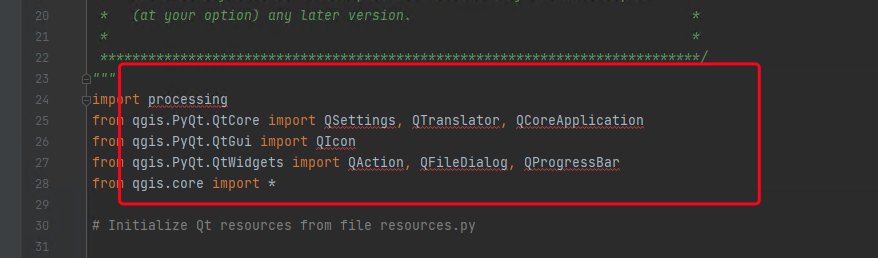
- 在QGIS的插件开发中需要使用系统工具时需要引入processing
import processing
1
使用时如下:以按表达式筛选为例
        # 按表达式提取
        alg_params = {
            'EXPRESSION': '\"DLBM\"=201 or \"DLBM\"=202 or \"DLBM\"=203 or \"DLBM\"=204 or \"DLBM\"=205 or \"DLBM\"=101 or \"DLBM\"=102 or \"DLBM\"=105 or \"DLBM\"=106 or \"DLBM\"=113 or \"DLBM\"=118',
            'INPUT': input_path,
            'OUTPUT': QgsProcessing.TEMPORARY_OUTPUT
        }
        outputs[''] = processing.run('native:extractbyexpression', alg_params)
1
2
3
4
5
6
7
2
3
4
5
6
7
其中 QgsProcessing.TEMPORARY_OUTPUT,这里表示使用临时存储,不会保存到磁盘中
在使用pycharm可能会提示找不到引入的方法,这里可以不用管
# 结果
我的代码就在QGIS的插件文件夹下:
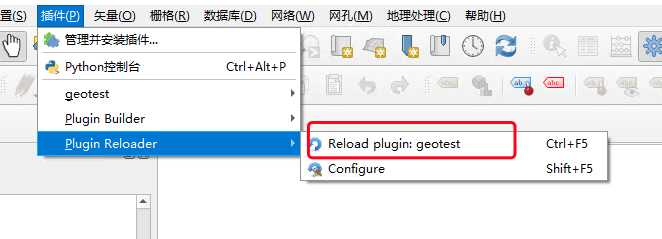
修改代码后只需要reload一下即可
成果如下:
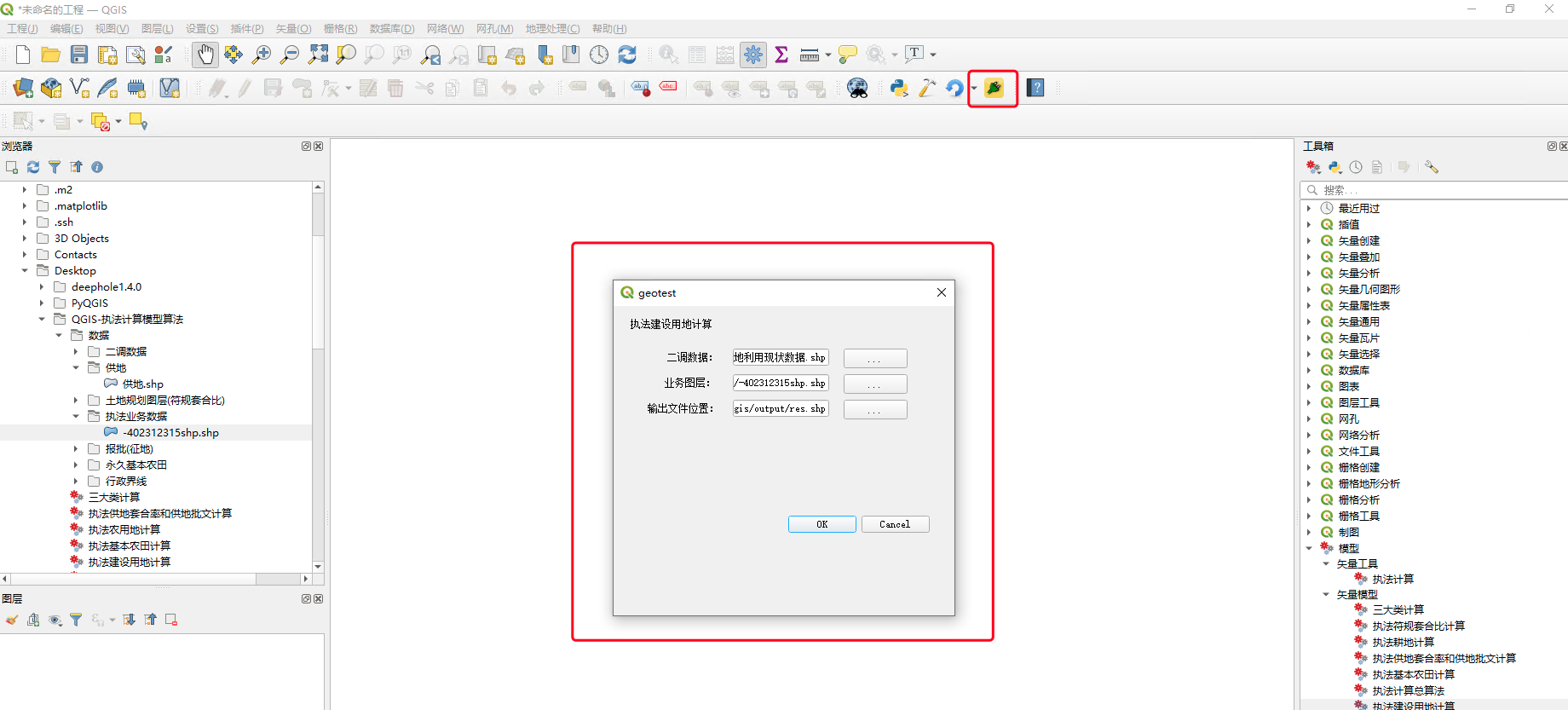
执行后的结果如下:
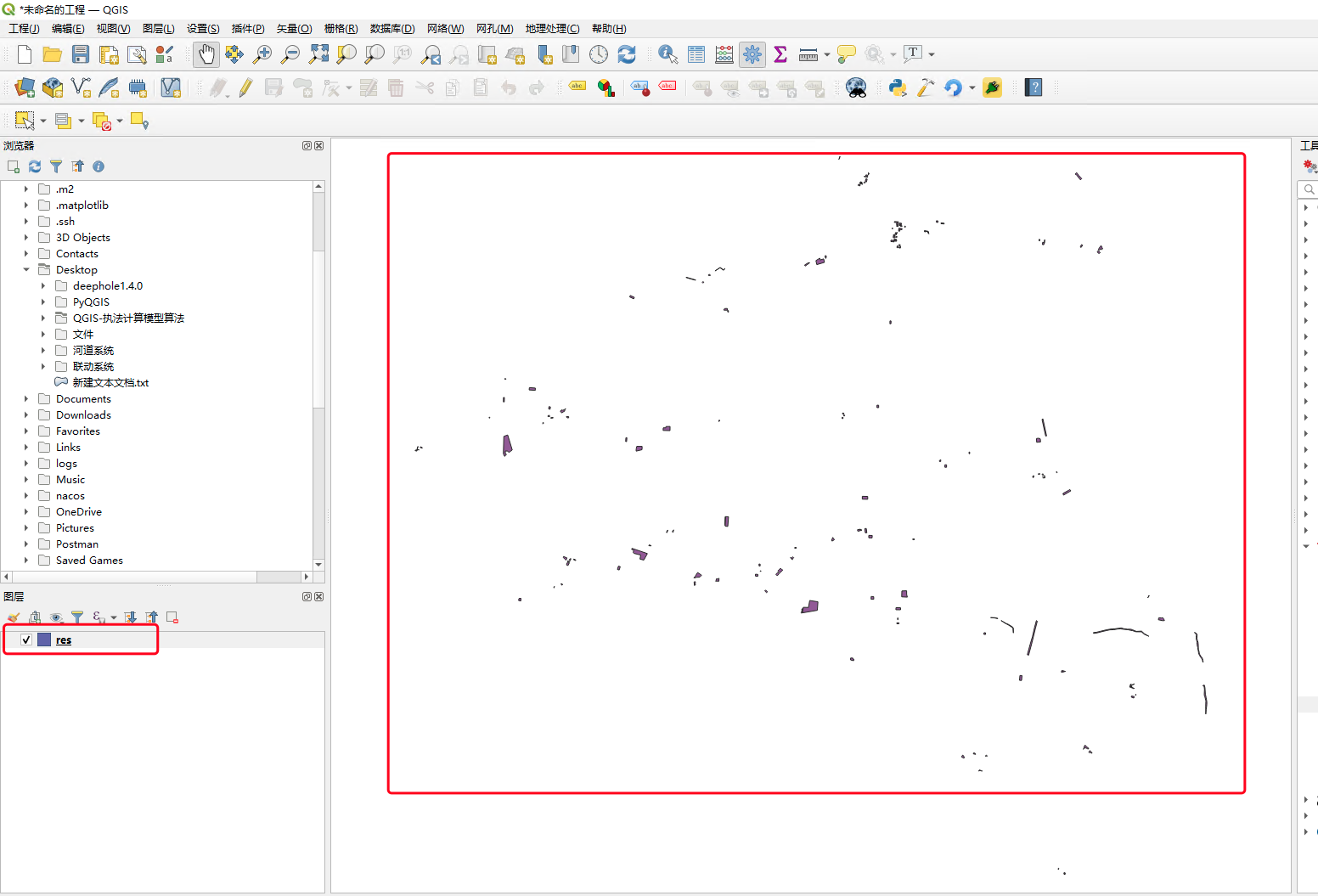
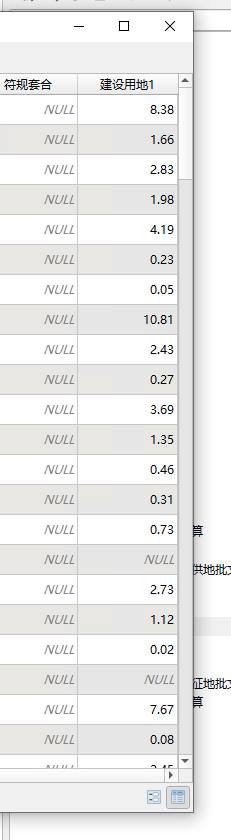
打开属性表后可以看到计算完成的结果